
ElevenLabs: AI Voice Generator
Eleven Labs IncMusic & Audio
4.71.62K Reviews
- Version
- 1.3.10
- Installs
- 10.00M
- Age Rating
- Everyone
Screenshots
Our Review of ElevenLabs: AI Voice Generator
 Analysis by Appyee
I’m cautious about any app that turns written words into a voice, because the result can sound polished while leaving important questions about consent and control unanswered. ElevenLabs: AI Voice Generator is aimed at people who want spoken audio for creative work, and I’d judge it not only by how natural a voice sounds but also by how deliberately I can choose what to submit and how to use the result.
Trust starts with the choices you can see
Eleven Labs Inc makes this free music-and-audio app for Android, and its scale suggests that plenty of people are curious about AI narration: it has more than a million installs and a 4.7 average from around 62,000 ratings. That popularity can help a new user feel less alone in trying it, but it is not a substitute for deciding whether a particular voice-generation workflow suits your needs.
I would start with a small, low-stakes test rather than pasting in a full script. A short paragraph lets me judge pronunciation, pacing, and whether the voice fits the intended audience before I commit time to preparing a larger project. It also gives me a practical way to learn the app’s controls without treating an appealing demo as proof that every passage will sound equally convincing.
Keep the material in your hands
Text-to-speech can involve material that is personal, unpublished, or commercially sensitive. I would avoid using private messages, confidential work, or someone else’s identifying details as test text. For an ordinary narration, I can write a clean sample that conveys the tone I want without exposing information that has no reason to be part of the experiment.
Before relying on an AI voice for a public project, I’d also think about how listeners may understand it. A generated narrator can be useful for a fictional character, a draft, or an accessibility-minded explanation, but it shouldn’t be presented in a way that misleads people into believing a real person said something they did not. That distinction matters more than a perfect-sounding sentence.
Use the free entry point deliberately
The app is free to download and is rated for Everyone, while in-app purchases range from $22 to $219 per item. I’d treat the free starting point as a chance to check whether the workflow matches my needs, not as a promise that every desired use will be included without cost. If I were considering a paid item, I’d first check the current in-app terms and make sure its limits and price make sense for my particular project.
That matters especially for occasional users. Someone who needs one spoken draft may not benefit from paying for more than they will use, while a creator who regularly produces narrated material may value a paid option if its current terms fit their volume and workflow. I’d decide only after testing a representative piece, rather than upgrading because a first sample sounds impressive.
Who should pause before choosing it
This app is a better fit for people who have a clear use for generated narration than for anyone simply looking for a general music player or a traditional recording studio. If my priority were capturing the warmth and spontaneity of my own performance, I would record a human voice instead. If I needed precise editorial control over every breath, emphasis, and room sound, a conventional audio-editing setup would likely be a better match.
I’d also be careful when a project depends on a particular voice identity, strict disclosure expectations, or a confirmed permission to use a voice in a specific way. Those are project-level decisions, not things I’d assume are settled merely because an app can generate speech. I would choose material and a workflow I can stand behind, and check the applicable terms before using output in a consequential commercial setting.
The app is currently at version 0.0.61 and supports Android 7.0 and later. That makes it worth checking compatibility before planning a workflow around it, especially on an older phone. Since the app is still at an early-looking version number, I would keep important scripts and final project files backed up somewhere I control rather than treating a mobile app as the only home for a finished piece.
If I’m comparing it with the usual alternatives, the main choice is between generated speech and recording or editing a person’s voice. ElevenLabs can reduce the effort of getting a spoken draft when I don’t want to record, while a human recording gives me direct performance choices and a more personal feel. Built-in device text-to-speech may be enough for private listening, but for a piece intended to hold an audience’s attention, I’d compare the actual output rather than assume one approach is automatically superior.
A practical workflow is to prepare the script outside the app, read it once aloud, then fix any sentences that feel awkward even before generating audio. Shorter clauses and clear punctuation often make narration easier to follow; they also make it simpler to identify which line needs revision if the pacing feels off. I’d generate a brief sample first, listen with headphones, and only then move on to the full passage. This saves effort when a voice choice or wording needs changing.
For a creator making a short explainer after work, that sequence can be straightforward: draft a few lines, test how they sound, revise the clumsy parts, and decide whether the result is suitable for sharing. For a teacher preparing a classroom resource, I’d listen for names and specialist terms rather than judging only the overall smoothness. For a writer building character dialogue, I’d keep the generated audio as a creative aid and retain the text as the source of truth. These small checks make the tool more useful without asking it to replace editorial judgment.
I’d also separate the question “Does this sound good?” from “Is this right for my project?” Natural-sounding narration can still have a mismatch in tone, emphasis, or audience expectations. A calm voice may suit an instructional passage but flatten a lively story; a dramatic delivery can make neutral information feel more certain than intended. Listening once for sound quality and again for meaning is a simple way to catch that mismatch.
For people who publish regularly, consistency is another practical consideration. I would keep notes on the voice and settings I chose for a project, along with the final script, so later revisions have a clear reference point. I wouldn’t assume an identical result across future sessions without checking it. That modest bit of organization helps when a paragraph changes or a collaborator needs to review the same material.
Generated audio can also be useful before a final recording. I might listen to a draft while walking or doing chores to spot sentences that look fine on screen but sound confusing aloud. In that role, the app is less a finished narrator and more a way to hear my writing from a listener’s perspective. If the draft is going to be distributed, I’d still make a separate decision about disclosure, permissions, and whether generated speech fits the audience’s expectations.
Getting Started with ElevenLabs
First things first, downloading and setting up ElevenLabs: AI Voice Generator is as breezy as a Sunday morning. Available on both Android and iOS, it doesn’t demand much in terms of storage, so even if your phone is bursting at the seams, you can still squeeze this one in. After downloading, a quick registration gets you into the action.
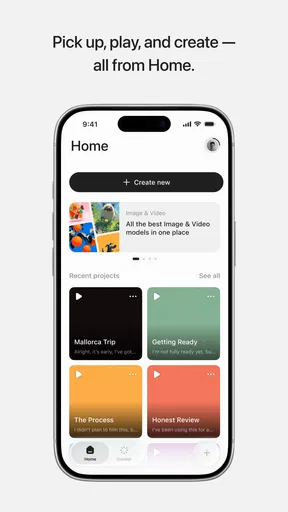
Once inside, you’re greeted with a user-friendly interface that practically holds your hand through the process. Whether you’re a tech wizard or someone who still struggles with setting up a Wi-Fi connection, you’ll find navigating this app to be a piece of cake.
Features That Stand Out
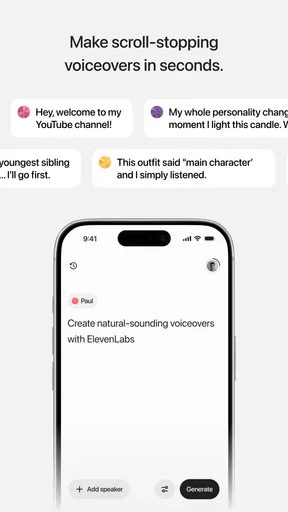
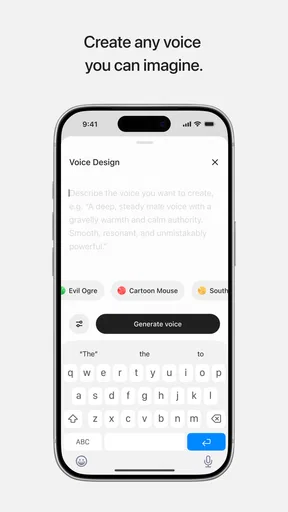
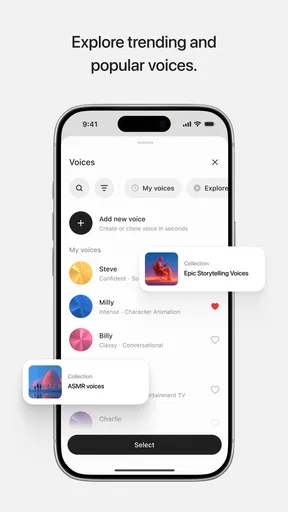
Now, let’s dive into the juicy bits. The features! This app offers a robust selection of voice options. We’re talking about dozens of voices that range from suave and silky to quirky and animated. Want to find the perfect voice for narrating your podcast? Look no further. You can even adjust the pitch and speed to get the exact vibe you’re going for.
One of the standout features is its multilingual capability. Whether you want to charm someone with a French accent or sound authoritative in German, this app has got you covered. It’s like having a polyglot friend right in your pocket, ready to lend their voice to whatever you need.
Performance and Reliability
I’ve put this app through its paces, and I have to say, it performs like a champ. The voice synthesis is as smooth as butter and incredibly lifelike. There’s none of that robotic monotone you often get with other voice generators. Instead, you get a natural flow that’s perfect for everything from audiobooks to personal projects.
Another thing worth mentioning is the app’s reliability. I’ve used it extensively without any hiccups or crashes. It’s stable, responsive, and gets the job done with minimal fuss. And hey, who doesn’t love an app that just works?
Why You Might Love It
Picture this: you’re on a tight deadline to create content, but you’re also battling a sore throat. Or maybe you’re just not thrilled with the sound of your own voice (no judgment here!). This is where ElevenLabs truly shines. It’s a lifesaver for content creators, educators, and anyone who needs to produce quality audio without the hassle.
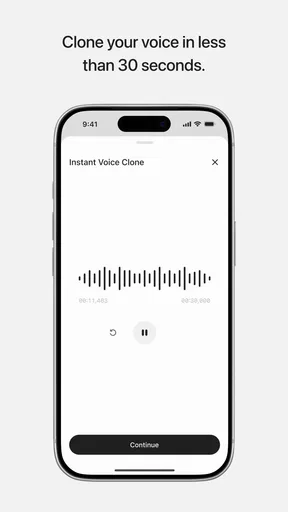
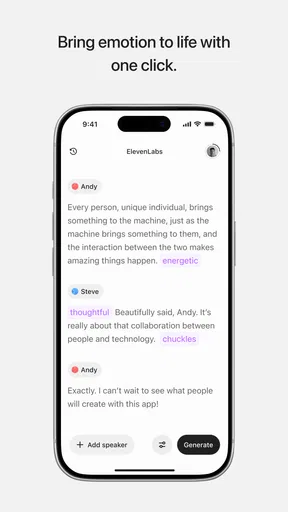
Plus, for those of you with a bit of a creative streak, this app is a playground. Imagine creating characters for your stories with distinct voices or adding a professional touch to your presentations. The possibilities are endless, and it’s all at your fingertips.
Wrapping It Up
In the world of AI voice generators, ElevenLabs: AI Voice Generator is a game-changer. It’s versatile, easy to use, and reliable. Whether you’re a seasoned pro or a curious newbie, this app has something to offer. So why not give it a whirl? You might just find it’s exactly what you’ve been looking for.
Oh, and before I forget, the app offers both free and premium plans. So, if you’re on the fence, you can dip your toes in the water without spending a dime. And when you’re ready to unlock its full potential, upgrading is as simple as pie.
All in all, if you’re in the market for a top-notch voice generator, ElevenLabs should be on your radar. It’s not just an app; it’s your new best friend in the digital world.
Privacy and Permissions
See what permissions an app requests and how it handles your data.
- Photos/Media/Files
- read the contents of your USB storage, modify or delete the contents of your USB storage
- Storage
- read the contents of your USB storage, modify or delete the contents of your USB storage
- Camera
- take pictures and videos
- Microphone
- record audio
- Wi-Fi connection information
- view Wi-Fi connections
- Other
- view network connections, pair with Bluetooth devices, connect and disconnect from Wi-Fi, full network access, change your audio settings, run at startup, control vibration, prevent device from sleeping, Google Play license check, read Google service configuration
Verdict
Strengths of ElevenLabs: AI Voice Generator
- High-quality voice synthesis output.
- Wide range of customizable voices.
- User-friendly interface design.
- Fast processing and delivery times.
- Supports multiple languages effectively.
Limitations of ElevenLabs: AI Voice Generator
- Limited free usage options available.
- Subscription can be pricey for casual users.
- Occasional AI mispronunciation issues.
- Requires stable internet connection.
- Voice customization options can be complex.
Other Releases by Eleven Labs Inc
View All
ElevenReader: Read Books Aloud
Books & Reference4.6
Similar Picks in This Category
View All
YouTube Music
Google LLC4.4

Samsung Music
Samsung Electronics Co., Ltd.3.8

Spotify: Music and Podcasts
Spotify AB4.3

JioSaavn - Music & Podcasts
Saavn Media Limited4.3

Lark Player:Music Player & MP3
Lark Player Studio - Music, MP3 & Video Player4.6

StarMaker: Sing Karaoke Songs
SKYWORK AI PTE. LTD.4.3
Frequently Asked Questions
What is ElevenLabs: AI Voice Generator used for?
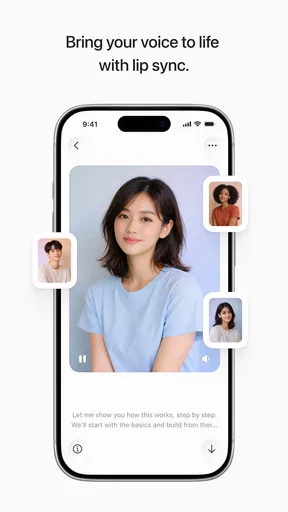
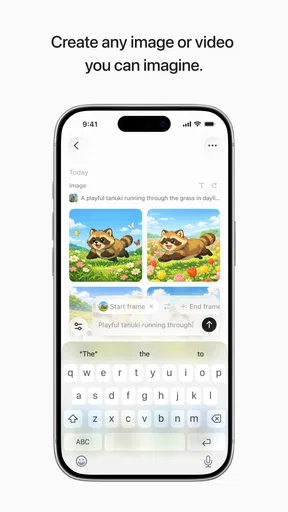
ElevenLabs: AI Voice Generator is an advanced tool designed for creating realistic and customizable voiceovers using artificial intelligence. It's ideal for content creators, developers, and businesses looking for high-quality voice generation for videos, apps, or any multimedia project. Its AI-driven technology ensures natural-sounding voices with various customization options.
Is ElevenLabs: AI Voice Generator easy to use for beginners?
Yes, ElevenLabs is very user-friendly, offering an intuitive interface that allows beginners to generate voiceovers with ease. The app provides step-by-step guidance and helpful tutorials to assist users in navigating its features. Even those with no prior experience in voice generation can quickly learn to create professional-quality audio.
What kind of customization options does ElevenLabs offer?
ElevenLabs offers a wide range of customization options for voice generation. Users can adjust pitch, speed, and tone to create unique voice profiles. Additionally, the app provides a selection of voice styles and languages, allowing for a broader range of creative possibilities. These features ensure that the generated voices meet the specific needs of any project.
Is there a free version of ElevenLabs: AI Voice Generator available?
ElevenLabs offers a free version with basic features, allowing users to explore its capabilities before committing to a subscription. The free version may have limitations on the length of the generated audio or the variety of voices available. For full access to all features and premium content, a subscription is required.
What platforms is ElevenLabs compatible with?
ElevenLabs is available for both Android and iOS devices, ensuring compatibility across a wide range of smartphones and tablets. The app is optimized for performance on various devices, providing a seamless experience whether you are using it on a phone or a tablet. This cross-platform availability makes it accessible and convenient for users on different operating systems.
